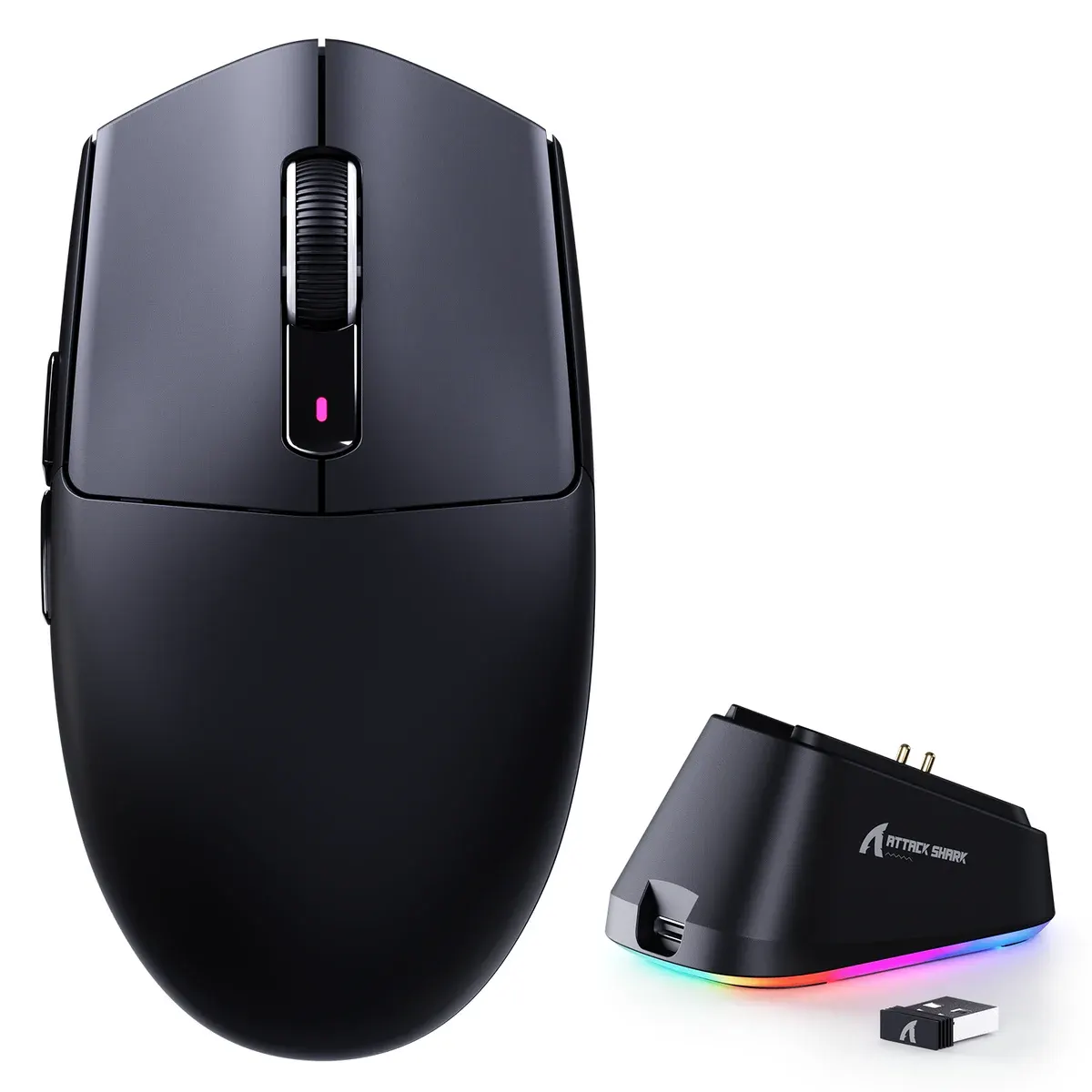
Tri-mode wireless gaming mouse with an RGB magnetic charging dock, a PixArt PAW3311 sensor up to 25,000 DPI and Omron switches rated for 100 million clicks.
SKU: ATTACKSHARK-G3-PRO-BLACK
Colour · Black
The Attack Shark G3 Pro is a tri-mode wireless gaming mouse that ships with an RGB magnetic charging dock, so it tops up every time you set it down. A PixArt PAW3311 sensor rated up to 25,000 DPI and Omron micro switches rated for 100 million clicks sit inside a shell Attack Shark lists at 59 g (plus or minus 3 g). For gamers in Pakistan who want a docked wireless mouse that also pairs over Bluetooth and works wired over USB-C, it covers every base.
The G3 Pro suits players who want a wireless mouse that is always charged and a desk without a dangling cable: drop it on the dock after a session and the receiver stays in the dock rather than at the back of your PC. The PAW3311 and 1000 Hz polling handle shooters, MOBAs and battle royales comfortably, while Bluetooth lets the same mouse move to a laptop or tablet for work. If you want 8000 Hz polling or a flagship sensor, look at Attack Shark's 8K carbon fibre models instead.
The Attack Shark X11 is the other PAW3311 mouse with an RGB magnetic charging dock that holds the receiver. The G3 Pro reaches 25,000 DPI against the X11's 22,000, uses Omron switches rated for 100 million clicks instead of Huano switches rated for 20 million, and carries a 500 mAh battery against 300 mAh. The X11 is the longer mouse at 128 x 64 x 40 mm and 63 g, while the G3 Pro is shorter, a few grams lighter and the better pick for players who want tougher switches and a bigger battery.
The box includes the mouse, the RGB magnetic charging dock, a 2.4 GHz USB receiver, a USB-C cable and a manual.
The dock has a USB socket built in for the receiver, and the mouse also has a storage slot on its underside so the receiver can travel with it.
Attack Shark lists support for Windows XP to Windows 11, macOS, Android and Linux. Over Bluetooth 5.2 it appears as "G3PRO Mouse" and pairs with laptops, tablets and phones that accept Bluetooth mice.
The dock has a lighting button: a light tap switches between effects, and pressing and holding it turns the light on or off.
Yes for most players: the PAW3311 tracks at up to 400 IPS and the mouse polls at 1000 Hz on 2.4 GHz and wired. Players who want 8000 Hz polling should choose an 8K model.
Pick the G3 Pro in Black or White here, and order online from OJ Tech for delivery to Lahore, Karachi, Islamabad and everywhere else in Pakistan.
| Specification | Detail |
|---|---|
| Sensor | PixArt PAW3311 |
| Max DPI | 25,000 |
| Tracking | 400 IPS / 40G |
| Polling rate | 1000 Hz |
| Connectivity | Tri-mode: USB-C wired, 2.4GHz, Bluetooth |
| Switches | Omron micro, 100M clicks |
| Scroll | F-Switch encoder |
| Battery | 500 mAh |
| Weight | ~59 to 62 g |
| Buttons | 6 |
| Dock | RGB magnetic charging dock (holds receiver) |
| Feet | Dual-layer PTFE skates |
Great product, very fast delivery. Excellent experience with this shop
Zeeshan Khalid · 21-Oct-2026