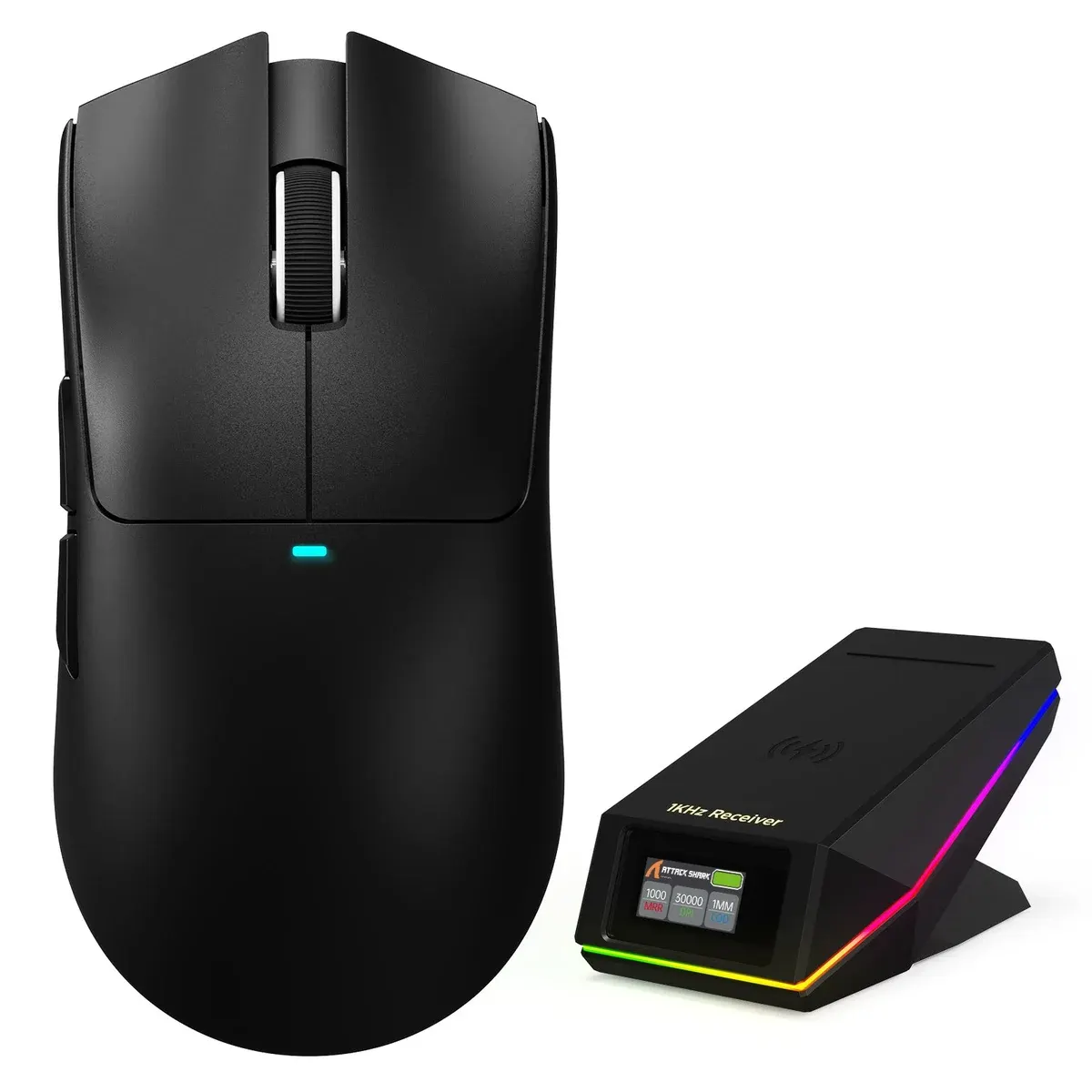
Tri-mode wireless gaming mouse with a TFT screen charging dock that has the 2.4GHz receiver built in, a PixArt PAW3315 sensor up to 30,000 DPI and Omron 100M switches.
SKU: ATTACKSHARK-X11-PRO-V2-BLACK
Colour · Black
The Attack Shark X11 Pro V2 is a tri-mode wireless gaming mouse whose charging dock has a colour TFT screen and the 2.4 GHz receiver built in. The screen shows your polling rate, DPI, lift-off distance, battery level and connection status, and the mouse charges wirelessly as soon as you set it on the dock's magnetic pad. Inside is a PixArt PAW3315 sensor rated up to 30,000 DPI and Omron switches rated for 100 million clicks, making it a clever desk centrepiece for gamers in Pakistan.
The X11 Pro V2 is for gamers who like a tidy, informative desk: one dock charges the mouse, acts as its receiver and shows your settings without opening any software. Medium to large hands get a comfortable right-handed shape, and the 1000 Hz PAW3315 setup is plenty for shooters, MOBAs and work. Bluetooth lets it switch to a laptop when you travel.
Both share the X11 outline and tri-mode connectivity. The Attack Shark X11 uses a PAW3311 sensor up to 22,000 DPI, Huano switches rated for 20 million clicks, a 300 mAh battery and an RGB magnetic dock that holds its separate nano receiver. The X11 Pro V2 moves to the PAW3315 at 30,000 DPI, Omron switches rated for 100 million clicks, a 500 mAh battery and the TFT screen dock with the receiver built in. The X11 is a little lighter at 63 g. Choose the X11 for a simpler, lighter RGB dock setup; choose the Pro V2 for the screen, tougher switches and bigger battery.
Yes, for 2.4 GHz play: the receiver is inside the dock, so connect the dock to your computer with its cable. For wired play, plug the cable into the mouse and it charges at the same time.
No. The RGB light strip is on the dock, with 10 effects plus an off setting on its lighting button. The mouse has a DPI indicator that also shows charging and low battery.
Yes. Use the PC software or the web driver to set DPI, polling rate and lighting, and a registered account lets you save your settings.
On the underside of the mouse. A short press cycles the DPI steps and a long press starts Bluetooth pairing.
Attack Shark designs it for medium to large hands in a right-handed shape, and it works with palm, claw and fingertip grips.
Black, White and the two-tone White & Black are all on this page. Order online from OJ Tech and we will deliver anywhere in Pakistan, including Lahore, Karachi and Islamabad.
| Specification | Detail |
|---|---|
| Sensor | PixArt PAW3315 |
| Max DPI | 30,000 |
| Tracking | 400 IPS / 40G |
| Polling rate | 1000 Hz |
| Connectivity | Tri-mode: USB-C wired, 2.4GHz, Bluetooth |
| Switches | Omron micro switches, 100M clicks |
| Scroll | TTC silver encoder |
| Battery | 500 mAh, up to 260 hours |
| Weight | ~66 to 70 g |
| Buttons | 6 (5 programmable) |
| Dock | Colour TFT display, built-in 2.4GHz receiver, magnetic wireless charging |
| Lighting | RGB light strip on dock; DPI indicator on mouse |
No reviews yet. Be the first to review this product.